Ground News
- 4.7
- Rating
- 1.00M
- Installs
- Free
- Price

 Analysis by App-foxy
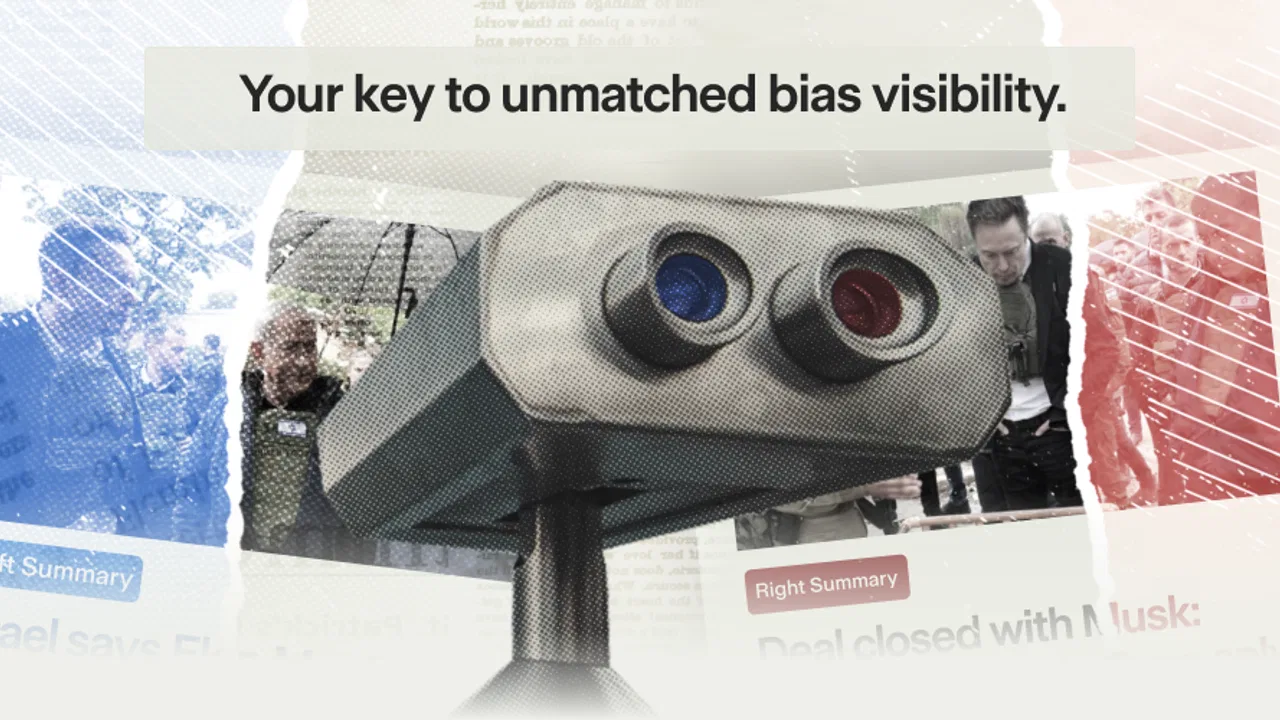
News is easy to find, but understanding how a story is being covered is much harder. I often open several outlets, compare headlines, and still wonder whether I am seeing the whole picture or simply the version that appeared first in my feed. Ground News is built for that exact problem. It is a free news and magazines app from Snapwise Inc. (dba Ground News) that puts comparison at the center rather than treating it as an afterthought.
My first impression was that it is less like a traditional newspaper app and more like a reading workspace. Instead of asking me to follow one publication, it encourages me to look at the same event through different editorial lenses. That makes it especially useful when a subject is politically sensitive, developing quickly, or being discussed very differently by separate parts of the media.
The app has a 4.7 average from around 28 thousand ratings, and it has passed the one-million-install mark. Those figures make sense to me after using it: the idea is immediately understandable, but the real value appears when I slow down and compare coverage instead of tapping the first headline I see. It is free to install, aimed at a Teen audience, and includes optional in-app purchases ranging from $0.99 to $99.99 per item.
You May Also Like

 Blood Strike: 2.5 Anniversary
Blood Strike’s Loadouts Turn Every Drop Into a Tactical Gamble
A close look at Blood Strike’s custom loadouts: how fast access to signature weapons reshapes its battle royale rhythm, rewards preparation, and narrows the gap between fights.

 Pandora - Music & Podcasts
Pandora’s Music Is Easy to Start, but Harder to Recover
Pandora’s strength is its low-effort path from a seed to a station. Its weak spot is how much confidence it asks you to place in connection, setup, and quiet recovery.

 8 Ball Pool
 Is Built on Rivalries, Rematches, and Routine
A close look at the rivalries, rematches, shared routines, and unanswered safety questions that turn a quick pool match into a persistent mobile community.

 Samsung Music
’s Quiet Strength Is Playing What You Already Own
Its reach comes less from spectacle than from dependable access to a personal library. That simplicity is both the app’s strongest retention engine and its ceiling.

 AccuWeather: Weather Radar
AccuWeather Review: A Quick, Clear Forecast for Everyday Decisions
For everyday plans, the best forecast is the one you can understand quickly. AccuWeather makes rain timing, radar, and local conditions easy to act on, with a few trade-offs.

 Hill Climb Racing
Why Hill Climb Racing Still Turns Crashes Into One More Run
A tiny car, a bumpy hill and one more upgrade: Hill Climb Racing keeps resurfacing because its simple chaos makes every near-miss feel personal.
More From Our News Desk



What Ground News feels like when you first open it
Ground News is most useful when you want context, not just a headline. The app’s central habit is simple: find a story, inspect how different sources are presenting it, and then decide which articles deserve your time. That changes the way I read. I am less likely to confuse a dramatic headline with the full significance of an event, and more likely to notice which details are emphasized or left in the background.
This does not mean every article becomes equally convincing. Comparing coverage is not the same as declaring every viewpoint equally accurate. I still need to read the articles, consider the quality of the sources, and separate reporting from commentary. What the app does well is make that comparison practical enough to become part of my normal routine.
The interface is aimed at people who want to browse current events without being locked into a single publisher. I can use it for a quick overview during a break, then return to a story when I have time to read more deeply. That flexibility matters because a comparison tool can otherwise feel like homework. Here, the basic path from a story to multiple perspectives is straightforward.
I would not describe it as a replacement for every news app. A dedicated newspaper application may offer a more polished reading experience for that publication’s own journalism, while a general news aggregator may be faster for scanning a large number of headlines. Ground News earns its place when the question is not only “what happened?” but also “how is this being framed, and what am I missing?”
Who will get the most from it
I think it is a strong fit for readers who follow elections, public policy, international events, science controversies, or any subject where the first explanation rarely tells the whole story. Students can use it to compare reporting before forming an opinion. Professionals who need to monitor a topic can use it to identify which developments are receiving broad attention and which are being covered more selectively.
It is also useful for anyone trying to reduce the effect of a personalized news bubble. If I normally read sources that agree with me, the app gives me a reason to inspect coverage outside that comfortable lane. The point is not to force myself to consume every article; it is to notice when my usual reading habits may be narrowing the picture.
On the other hand, I would skip it if I only want one familiar publication, a purely local news feed, or a very fast stream of short updates. The comparison approach adds value, but it also asks for more attention. Readers who dislike opening several articles about the same subject may find the extra context unnecessary.
Getting through the first setup without overthinking it
The best way to begin is to choose a subject you already understand reasonably well. That gives you a reference point: you can tell whether the app is helping you see meaningful differences or merely showing several versions of the same basic report. I would not start with an unfamiliar breaking story, because early coverage can change rapidly and may leave you unsure whether differences come from editorial choices or incomplete information.
After opening the app, I recommend browsing rather than trying to configure everything immediately. Look for a story that genuinely interests you, open its available coverage, and observe how the app organizes the material. This first pass teaches the important interaction more effectively than spending time adjusting preferences before you know what you want to follow.
The current version is 4.25.1 and supports devices running Android 6.0 or later. That makes the app accessible on a wide range of Android phones and tablets, including older hardware that may not run the newest operating system. On an iPhone or iPad, the same basic editorial purpose remains relevant, although the exact controls can differ between platforms.
I also suggest deciding early whether you want Ground News to be a quick checking tool or a regular reading destination. For quick checking, the main story comparisons may be enough. For regular use, it is worth spending a little time learning how to move from a broad story view into individual articles, because the strongest benefit comes from combining the overview with direct reading.
The first meaningful success: compare one story properly
My recommended first task is deliberately small. Pick one current story, read the main summary or overview, then open at least two articles that approach it differently. Do not judge the app by the number of headlines it can display. Judge it by whether the comparison changes your understanding of what is established, what is disputed, and what still needs verification.
A practical example would be a major policy announcement. One article may focus on the government’s stated goal, another may concentrate on the expected impact, and a third may question the feasibility or consequences. Reading only one of those can produce a very different impression from reading all three. Ground News makes it easier to place those accounts beside one another in your own process.
There is a useful discipline here: before opening the articles, write down what you think the story is about in one sentence. After comparing the coverage, write a second sentence. If the second version includes a limitation, affected group, or competing interpretation that you had missed, the app has already delivered a meaningful result.
Another good habit is to distinguish source variety from genuine independence. Several publications may repeat the same wire report or rely on the same original statement. Seeing multiple headlines does not automatically mean seeing multiple investigations. I treat the app’s comparison as a map of the coverage, then inspect the articles to understand how much new reporting each one actually contributes.
This is one of the less obvious strengths of the service: it can expose repetition. A story may appear widely covered, yet the articles may share nearly identical wording and facts. That tells me the apparent breadth is smaller than it first looked. Conversely, a story with fewer visible headlines may contain more distinct reporting than its volume suggests.
Where new users can misread the experience
The most common confusion is expecting a single definitive answer from a comparison app. Ground News does not remove the need for judgment. It helps me identify differences in emphasis and coverage, but I still have to read carefully. A visual overview can orient me; it cannot replace the article itself.
Another point worth understanding is that disagreement between outlets does not always mean one side is inventing facts. Sometimes the difference is about which part of a complex event receives attention. One publication may lead with immediate consequences, while another explains the background. If I treat every contrast as a battle between truth and falsehood, I lose the nuance that makes comparison worthwhile.
Breaking news requires extra patience. Early reports often contain partial information, and later updates can change the shape of the story. I use Ground News to see what is being reported now, but I avoid treating the first collection of articles as a final record. Returning later and checking whether the coverage has converged or diverged is often more informative than making a quick judgment.
The app may also feel busy if I approach it with too many topics at once. A large news feed can create the same sense of overload as any other aggregator. My solution is to choose a small number of subjects that matter to me and use the comparison tools selectively. The goal is better reading, not a larger pile of unread material.
There is also a trade-off between convenience and depth. A single newspaper app can remember my preferred layout and deliver a consistent editorial voice. Ground News gives me broader comparison, but that means I may move between different writing styles, article lengths, and levels of explanation. I see that as a fair exchange, though readers who value a uniform experience may prefer a publisher-specific app.
How I use it in an ordinary day
Imagine I hear a striking claim during a morning conversation. Instead of searching the exact phrase and opening the first result, I can look for the broader story in Ground News. I first scan the available coverage, then choose an article that explains the event clearly and another that approaches it from a different angle. By lunchtime, I have a more careful understanding than I would have gained from reacting to one headline.
The same workflow helps when someone sends me a story with an alarming title. I do not need to dismiss it immediately or accept it immediately. I can use the app to see whether other outlets are reporting the same central facts, whether the emphasis differs, and whether the article appears to be part of a wider pattern of coverage. That makes the app useful for conversations, not just solitary reading.
For a student researching a debate, I would use it before collecting quotations or writing an argument. First identify the main event or claim, then compare how sources describe it. This can reveal which points are broadly agreed upon and which depend on interpretation. It also reduces the risk of building an essay around a single article that presents a narrow slice of the issue.
For a busy professional, the better workflow may be shorter: check the story overview, note whether coverage is broad or limited, and save deeper reading for subjects that affect the job or decision at hand. The app does not have to become another full-time information stream. Its value can come from a few careful checks each day.
Three habits that make the comparison genuinely useful
First, compare framing before comparing opinions. Look at the words used in the headline, the people quoted, and the facts placed near the top. This often reveals more than simply labeling a source by its perceived political position. The same event can feel completely different depending on whether the article begins with cost, security, fairness, or personal impact.
Second, open the least familiar credible-looking source, not only the one that confirms your existing view. This is not about forcing balance for its own sake. It is about testing whether your first interpretation survives contact with information you would not normally seek. I find this especially valuable when I notice that every article in my initial selection uses nearly identical language.
Third, return to important stories after the initial rush. A comparison made during the first wave of reporting can show what outlets are prioritizing, while a later check can show which claims held up. This turns the app from a headline scanner into a way of observing how a story develops over time.
A fourth habit is to separate the article’s topic from the article’s purpose. Some pieces explain, some investigate, some analyze, and some persuade. Comparing two articles is more meaningful when I recognize that they may not be trying to do the same job. Ground News helps me discover the range, but I supply the classification.
How it compares with ordinary news alternatives
Compared with a standard news aggregator, Ground News feels more deliberate. A typical aggregator is excellent when I want many updates quickly, but it can encourage headline hopping. This app is better when I want to understand the relationship between stories and coverage patterns. The cost is that I may spend longer with fewer stories.
Compared with following one newspaper, it offers more editorial variety and less dependence on a single house style. That is valuable for contentious topics, but it can make reading feel less smooth. A newspaper app may provide stronger continuity from one article to the next, whereas Ground News asks me to make choices among sources.
Compared with social media, it gives me a calmer starting point. Social platforms are useful for discovering what people are discussing, but the surrounding reactions can overwhelm the reporting itself. I prefer using Ground News after encountering a claim on social media, because it lets me investigate the underlying story without treating popularity as evidence.
Compared with a search engine, the advantage is organization. Search is powerful when I know the exact question or source I want. Ground News is more helpful when I want to discover how a significant story is being covered across outlets without designing the search myself. Neither replaces the other; I use search for precision and this app for comparison.
What may frustrate you after the first week
The app’s greatest strength can also become its main friction: there is more to evaluate. If I am tired or short on time, comparing several articles may feel like work. The experience is most rewarding when I care about the subject enough to read beyond the first screen. For casual entertainment news or a quick weather check, a simpler app is likely the better choice.
Optional purchases may also matter to users who want the full experience beyond the free starting point. Since the app is free to install but offers in-app purchases, I would begin with the no-cost experience and decide whether the additional value fits my reading habits before spending anything. I would not subscribe or buy simply because the app has a large feature set; the right question is whether I will actually use the deeper comparison regularly.
The Teen content rating is another reminder that this is a current-events product rather than a children’s reading app. News can involve violence, conflict, politics, and other mature subjects. Parents choosing it for younger readers should consider whether the topics appearing in a live news environment are appropriate for the individual child.
Readers who want a strict chronological feed may find the editorial comparison approach less predictable than a conventional timeline. Likewise, people who already have a carefully selected group of trusted publications may gain less from the discovery side. In those cases, a dedicated reader or publisher app could be more efficient.
My recommendation after using it
I recommend Ground News to anyone who wants to become more intentional about reading current events. It does not make media judgment automatic, and it should not be used as a substitute for reading original reporting. What it does is lower the effort required to notice differences between outlets, detect repeated coverage, and question the first version of a story that reaches me.
The best way to judge it is to install it, choose one familiar topic, and complete a careful comparison rather than browsing randomly. If that process helps you spot context you would normally miss, the app has a clear place in your routine. If you only want fast headlines from a favorite publication, it may feel unnecessarily involved.
Snapwise Inc. (dba Ground News) has made a news app for readers who are willing to spend a little more attention in exchange for a wider view. I appreciate that trade-off. The service is free to start, available for Android 6.0 and later, and has grown to over one million installs, but its real measure is personal: whether it helps me pause before accepting a headline as the whole story.
For me, that makes it worth keeping alongside—not necessarily instead of—my usual news sources. I use it when a subject matters, when coverage feels unusually polarized, or when I suspect my regular feed is showing me only one comfortable angle. If your goal is to read more thoughtfully rather than merely read more, this is one of the more practical news tools to try.
FAQs for Ground News
01What is Ground News and how does it work?
Ground News is a news aggregation app that provides users with a comprehensive view of current events by presenting articles from various sources across the political spectrum. It helps users identify media bias and compare coverage from different outlets, enabling a balanced understanding of the news.
02Does Ground News offer a free version, and what features are included?
Yes, Ground News offers a free version that includes access to a wide range of news articles from multiple sources. Users can compare headlines, view basic bias ratings, and explore major news stories. However, advanced features like detailed bias analysis may require a subscription.
03How does Ground News determine the political bias of news sources?
Ground News uses a combination of methodologies to determine political bias, including analyzing the language used in articles and reviewing source ratings from independent organizations. This approach helps categorize sources on a spectrum from left to right, providing users with insights into potential biases.
04Can I customize my news feed on Ground News?
Yes, Ground News allows users to customize their news feed by selecting topics of interest and preferred news sources. This personalization ensures that users receive news that aligns with their interests while still providing a balanced view through diverse coverage. Users can adjust settings anytime.
05Is Ground News available for both Android and iOS devices?
Ground News is available on both Android and iOS platforms, providing a seamless experience across devices. Users can download the app from the Google Play Store or Apple App Store, ensuring accessibility to its features regardless of their operating system choice.
Pros
- Provides multiple news sources for balanced views.
- User-friendly interface
- easy to navigate.
- Includes bias indicators to assess news neutrality.
- Offers story timelines for historical context.
- Customizable notifications for tailored updates.
Cons
- Limited offline content access.
- Some features require a premium subscription.
- Occasional lag in loading articles.
- Ads can be intrusive in the free version.
- Content updates may vary by region.

Ground News
Gallery